Workout planning and programming
Training plan software for personal trainers
Create structured training plans, reuse workout templates and connect every assigned plan to the client who will complete it.
No card required. Create a plan and invite your first client when your workspace is ready.
What you can do with CoachBrag
Structured programming
Define the workout details clients need to follow and record.
Reusable templates
Start from a template, then adapt it for the individual client.
Connected assignment
Keep the assigned plan linked to the invited trainer-client relationship.
From your workout plan to the client’s next session
Give the client a plan they can follow during training. In the client view below, the assigned plan contains a workout, its exercise list and the prescribed sets, reps, weight and rest. The client can start the session from that workout and return to their history later.
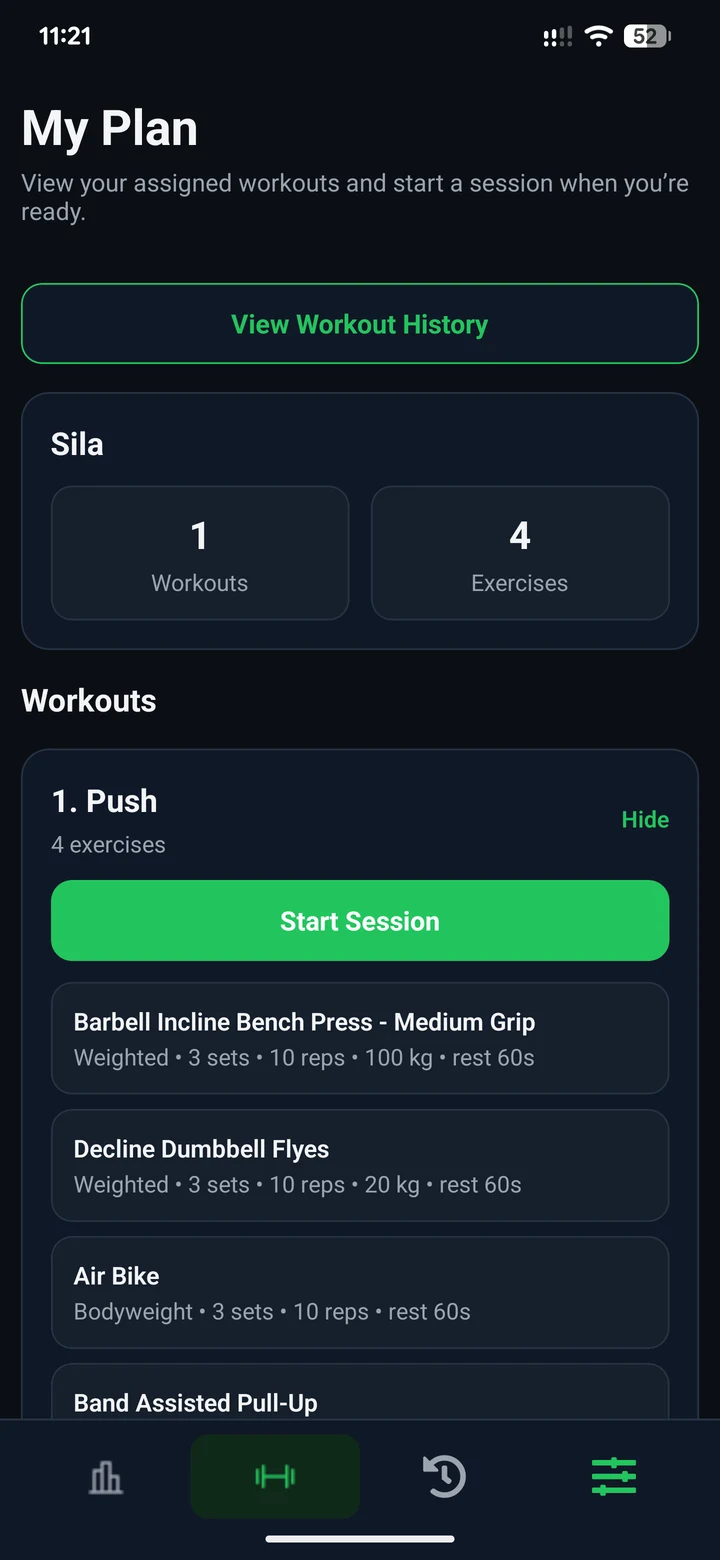
Use a workout builder without losing the coaching context
Start a new client plan or reuse a workout template. Add exercises, then set the targets each exercise supports: sets, reps and rest, plus weight, duration, distance, calories or resistance where applicable. Assign the plan to the client. After a session is logged, review the completed activity against the plan before deciding on follow-up.
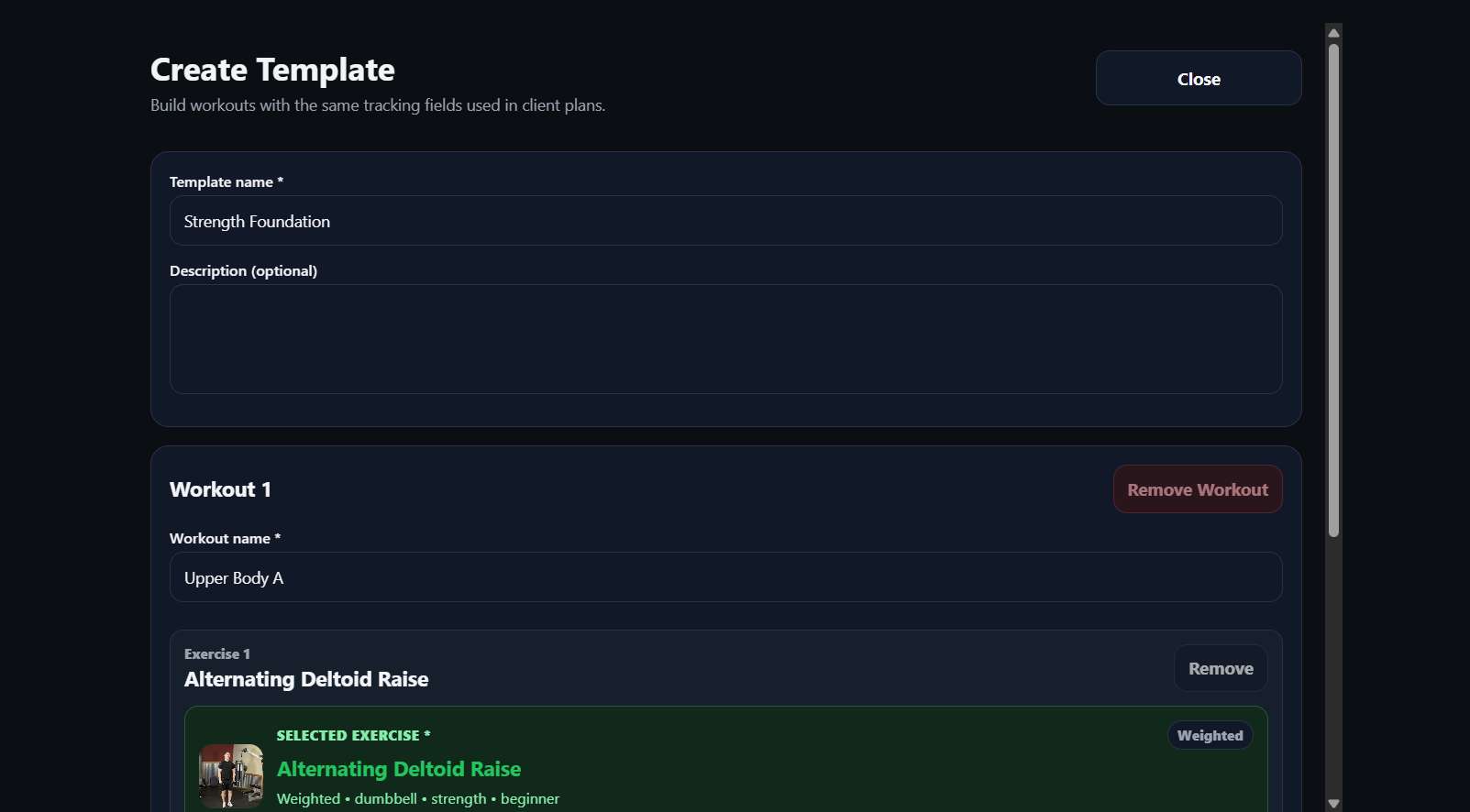
Build structured training plans
Create plans with workouts, exercises, sets, reps, rest periods and exercise-specific targets. Supported metrics can include weight, duration or distance where the selected exercise uses those fields.
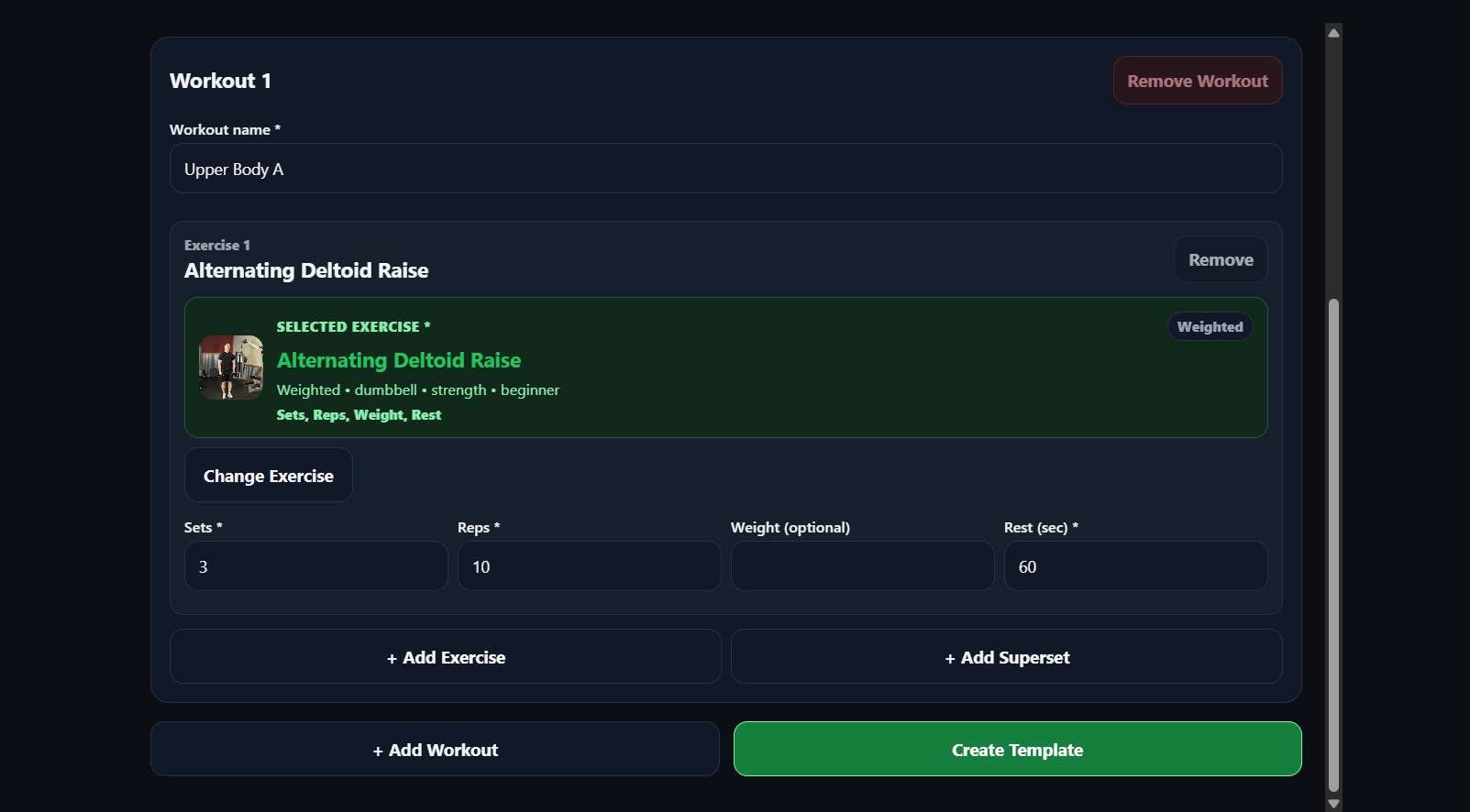
Reuse workout templates
A template is a practical starting point for a new plan. Adapt its exercises, targets and structure for the specific client before assignment; reusing a template does not mean giving every client an identical programme.
Assign plans to invited clients
A client joins through an invitation from the trainer. The plan is assigned to the correct trainer-client relationship, and the client can see the plan in their CoachBrag experience.
Connect planning with completed workouts
Clients log completed sessions and sets against the plan. That history returns to the trainer workspace, giving you actual training context before the next coaching decision.
What personal trainers should expect from training plan software
A useful workout plan builder should support a clear workflow from programming to review:
- Clear plan structure
- Reusable templates
- Client assignment
- Completed-session history
- Progress context
- Trainer-client communication
A practical coaching workflow
01
Invite the client
Send an invitation so the coaching relationship starts in the right workspace.
02
Build or reuse a template
Create a new plan or use an existing workout template as the starting point.
03
Assign the training plan
Connect the structured plan to the invited client who will complete it.
04
Review completed sessions
Use logged sessions and sets as context for the next coaching conversation.
Who this training plan software is built for
CoachBrag is designed for trainers who need a clearer way to move from planning to completed client workouts.
- Independent personal trainers
- Online coaches
- Hybrid coaches
- Trainers managing a small or growing roster
- Trainers moving away from spreadsheets, PDFs and screenshots
Frequently asked questions
What is training plan software?
Training plan software helps a personal trainer create structured workouts, assign them to clients and keep the planned programme connected to completed training data.
Can I reuse workout plans in CoachBrag?
CoachBrag supports reusable workout templates that can be used as a starting point and adapted before assignment to an individual client.
Can clients record completed workouts?
Clients can record completed workout sessions and logged sets against their assigned plan, allowing the trainer to review the session history.
Can training plans include sets, reps and rest periods?
CoachBrag plans can include exercises, sets, repetitions, rest periods and exercise-specific targets supported by the exercise configuration.
Does the free trial require a payment card?
Eligible trainer accounts receive one CoachBrag-managed 14-day free trial without a card or payment method. The trial does not renew automatically.
Build a clearer training workflow
Start with one 14-day free trial through CoachBrag.
Professional coaching software for personal trainers.
HomePricingBlogTraining plan softwarePersonal trainer client trackerClient workout trackingSupportPrivacyTermsRefund policyAccount deletion
Google Play
© 2026 CoachBrag. All rights reserved.